Image Compressor
Shrink file size and compare every pixel with a live before/after slider. Processing happens on your device only.
Drop an image here, or click to choose
JPG · PNG · WebP · one image at a time
How to use
- Drop a JPG, PNG or WebP image and wait for the preview.
- Choose JPG or WebP and lower the quality slider while watching the comparison.
- Keep the smallest result that still looks right, then download it.
Before you download
Check the result size as well as the preview. If the result is larger than the source, keep the original instead. For screenshots, logos and text, use PNG rather than this photo-focused compressor.
Judge with your eyes, not a number
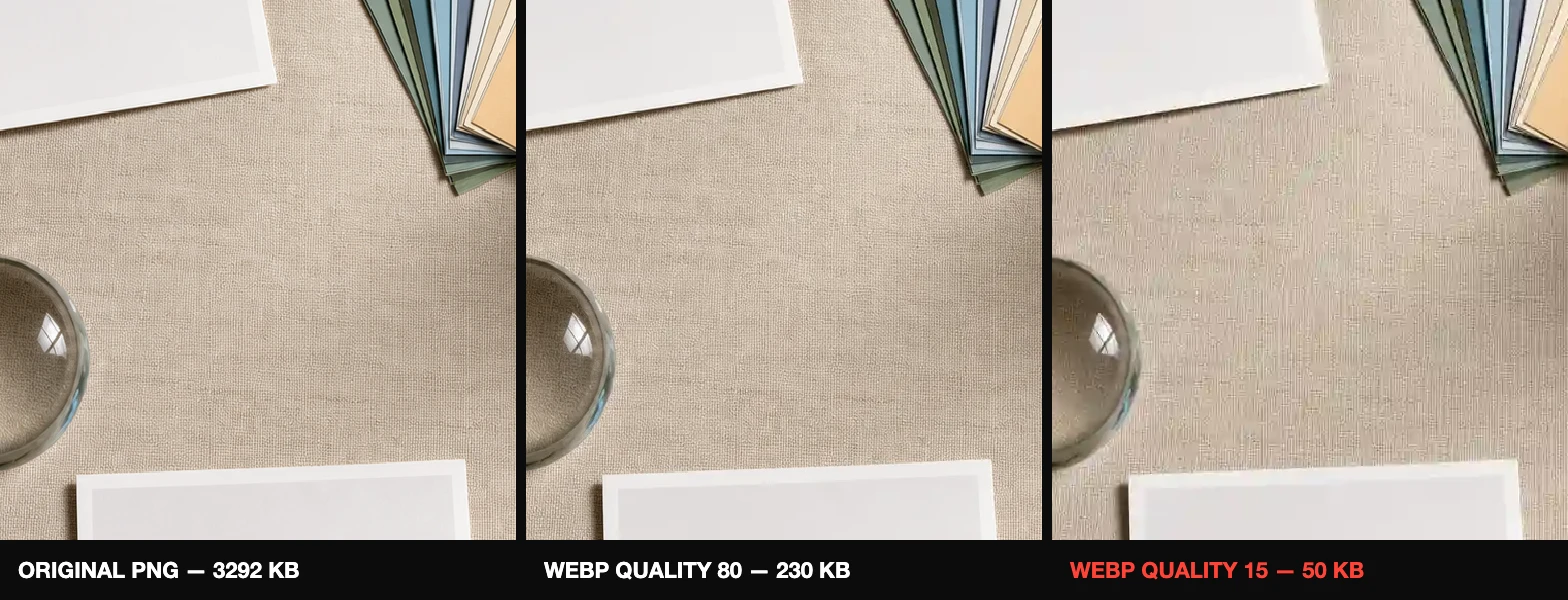
The comparison view shows the exact pixels you will download — grab the red handle and sweep it across the image. Drag the quality slider down until you start to see a difference, then step back up one notch — that is your optimum. For photos, quality 75–85 in WebP is usually indistinguishable from the original at a fraction of the size.
When compression makes files bigger
Re-encoding an already tiny or already heavily compressed image can increase its size. The tool tells you when that happens — keep the original in that case. Read how image compression actually works for the theory, and the 3-step workflow for where compression fits in.